DVP10SX11R/T Delta PLC About
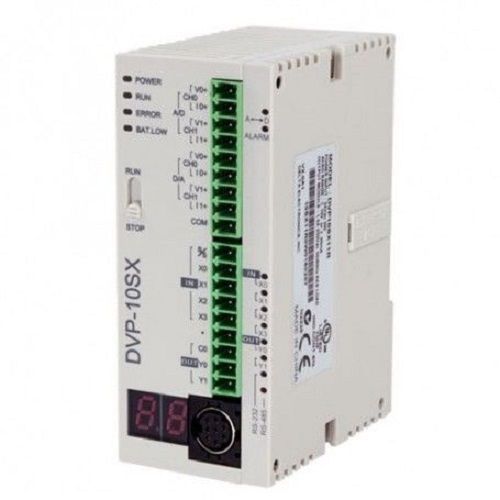
DVP10SX11R Delta PLC 24VDC 2AI/2AO 4DI/2DO relay
DVP S-Series Analog CPU
Input: 6 Sink/Source 24VDC
Output: 2 Relays
Analog In: 2 point (-20>20mA _ -10>+10V)
Analog Out: 2 point (-20>20mA _ -10>+10V)
COM: 2 Port RS232/RS485
Flexible Analog and Digital Input OptionsThe DVP10SX11R/T Delta PLC supports both analog (0-10V DC/4-20mA) and digital (sink/source) inputs, allowing compatibility with a wide variety of industrial sensors. This flexibility enables precise monitoring and control over complex automation tasks, whether in process lines or machinery control. Selection between input types ensures efficient integration without external converters.
High-Speed Processing and Reliable OutputsEngineered for demanding automation scenarios, the PLC features quick response times (<10ms for digital inputs) and high-speed CPU processing. Four relay outputs deliver robust control, rated up to 2A per point. The 12-bit analog output further enhances precision, ensuring accurate signal transmission for critical industrial processes.
Expandable and Space-Saving DesignDesigned for compact installations, the DVP10SX11R/T fits effortlessly on DIN rails and measures only 90mm x 60mm x 55mm. Users can connect up to eight extension modules for additional I/O capacity, allowing scalable automation solutions without sacrificing valuable panel space. Its gray finish and standard body thickness contribute to organized, professional setups.
FAQ's of DVP10SX11R/T Delta PLC:
Q: How do I select between 0-10V DC and 4-20mA analog input ranges on the DVP10SX11R/T PLC?
A: Selection is managed via onboard configuration settings and wiring adjustments. Refer to the PLC's user manual for detailed steps to switch between voltage and current input modes, ensuring your sensors are correctly connected.
Q: What programming software does the DVP10SX11R/T PLC use and how do I program it?
A: DVP10SX11R/T uses Delta's WPLSoft programming software, which provides an intuitive ladder logic environment. Connect your PLC to a computer using the built-in RS-232 interface and follow the setup instructions in WPLSoft to upload, monitor, and optimize programs.
Q: When should I replace the backup lithium battery in the Delta PLC, and why is it important?
A: The backup lithium battery should be replaced when the PLC indicates low battery status, or as recommended in the maintenance schedule-typically every few years. Timely replacement ensures clock/calendar functions (if equipped) and memory retention during power loss.
Q: Where can I mount the DVP10SX11R/T PLC in my industrial setup?
A: This PLC is designed specifically for DIN rail mounting, which allows secure installation within control panels, machinery enclosures, or process automation racks. Its compact profile suits both new and retrofit applications in tight spaces.
Q: What is the process for expanding this PLC's input/output capacity?
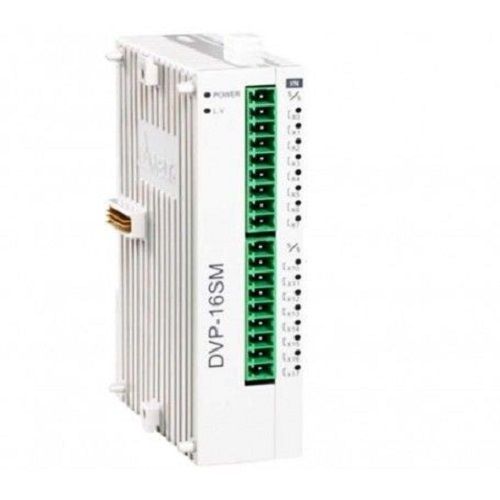
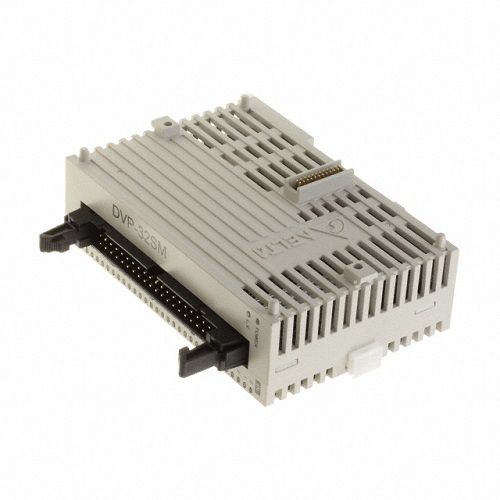
A: Simply connect up to eight compatible Delta extension modules to the main unit, using the dedicated expansion ports. This modular approach allows you to adapt to larger or changing automation requirements without replacing the entire PLC.
Q: How does the PLC's overvoltage protection benefit industrial operations?
A: Built-in overvoltage protection safeguards internal circuits against electrical spikes, reducing downtime and preventing costly component failures in challenging factory and automation environments.
Q: What types of sensors and devices can be connected to the DVP10SX11R/T PLC?
A: The controller supports standard PLC digital sensors (sink/source) and analog sensors (0-10V DC, 4-20mA). It's compatible with common industrial field devices for tasks like temperature measurement, flow monitoring, and discrete control.





 Send Inquiry

