2711PT6M20A Allen Bradley HMI About
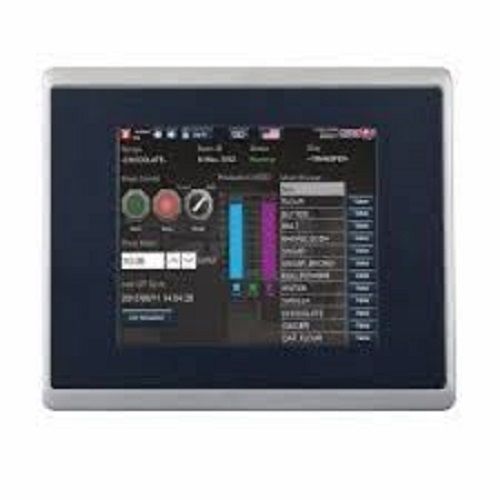
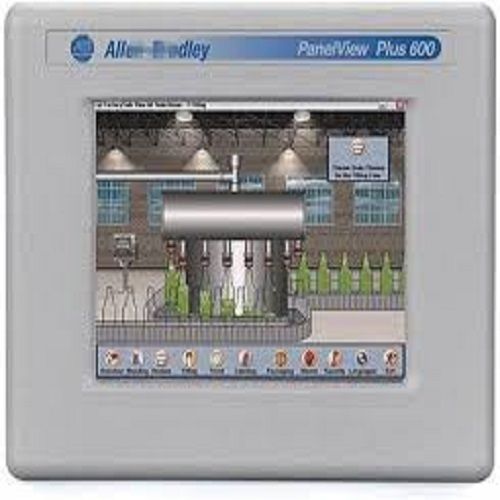
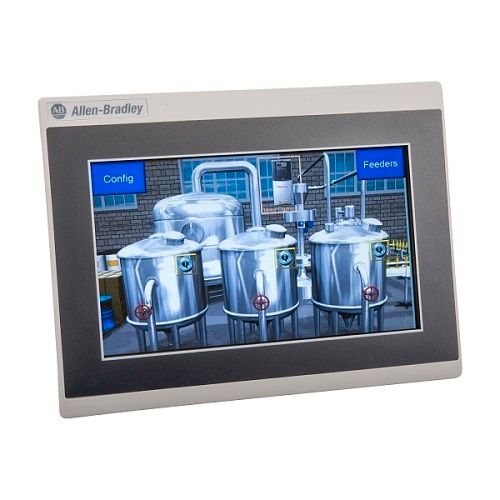
2711P-T6M20A Allen Bradley 2711PT6M20A, Single Phase, 7 inch
| Phase |
Single Phase
|
| Resolution |
320 x 240 Pixels
|
| Control Type |
Keyboard Control
|
| Display Colors |
64k
|
| Minimum Order Quantity |
1
|
ManufacturerRockwell AutomationBrandAllen-BradleyPart Number/Catalog No.2711P-T6M20AManufacturer:Rockwell AutomationSeriesPanelView Plus 600Brand:Allen-BradleyModule TypeOperator Interface TerminalProduct Family:PanelView Plus TerminalsInput TypeTouchscreenProduct Type:Operator TerminalsPower Supply120 Volts ACPart Number:2711P-T6M20ACommunicationRS-232, USB, 2 Ethernet portsInput Type:Touch
Versatile Connectivity for Industrial ControlWith Ethernet, RS232, and USB ports, the 2711P-T6M20A integrates smoothly into diverse automation systems. Its panel mount design ensures stable installation, while the advanced graphic capability provides animated visualizations for complex processes. The HMI supports multiple tag communications, data logging, and alarm handling - all essential for streamlined factory operations.
Designed for Durability and EfficiencyEngineered with an IP65-rated enclosure of aluminum and plastic, the unit withstands harsh industrial conditions. The replaceable LED backlight, analog resistive touchscreen, and thermal conductivity specifications ensure consistent performance from 0C to 55C. Reliable DC power at 24V keeps operations secure and uninterrupted, even in demanding environments.
FAQ's of 2711PT6M20A Allen Bradley HMI:
Q: How do I install the 2711P-T6M20A PanelView Plus 6 HMI in my factory automation system?
A: The device is designed for panel mounting. Simply cut an appropriately sized opening in your control panel (approx. 198 x 167 mm), secure the HMI using its mounting hardware, and connect it to your power source (24V DC) and desired communication ports (Ethernet, RS232, USB) as per installation instructions.
Q: What software is compatible with this HMI for project development and configuration?
A: The 2711P-T6M20A model supports FactoryTalk View Machine Edition, making it suitable for creating and deploying control, monitoring, and visualization applications within industrial automation environments.
Q: When should I replace the LED backlight on the touchscreen display?
A: LED backlights typically last a long time, but if you notice dimming or uneven brightness in the display, it may be time to replace the backlight. This helps maintain optimal visibility and user experience during operation.
Q: Where can I use the PanelView Plus 6 HMI in my facility?
A: This HMI is suitable for installation wherever advanced control and monitoring is required-such as in process visualization workstations, control panels, and operator stations. Its IP65 rating enables use in demanding environments with high humidity or dust.
Q: What is the process for upgrading the firmware on the 2711P-T6M20A HMI?
A: Firmware upgrades are supported. You can update the firmware by following the manufacturer's recommended procedure, which typically involves loading the new firmware package via SD card or USB drive and executing the update process from the HMI's system diagnostics menu.
Q: How does the touchscreen benefit daily operation and maintenance?
A: The analog resistive touchscreen provides fast (<30 ms) response to inputs, enabling efficient data entry, process navigation, and command execution. Its durable design supports frequent use and simplifies both routine monitoring and troubleshooting tasks.
Q: What are the major advantages of integrating this HMI into my automation network?
A: Key benefits include high-resolution animated graphics, reliable data logging, robust alarm handling, and seamless connectivity. These features together foster improved visualization, increased system efficiency, and simplified operations for factory automation and process control.





 Send Inquiry

